


Business News
EPFO Login 2026: Check PF Balance & UAN Status Instantly
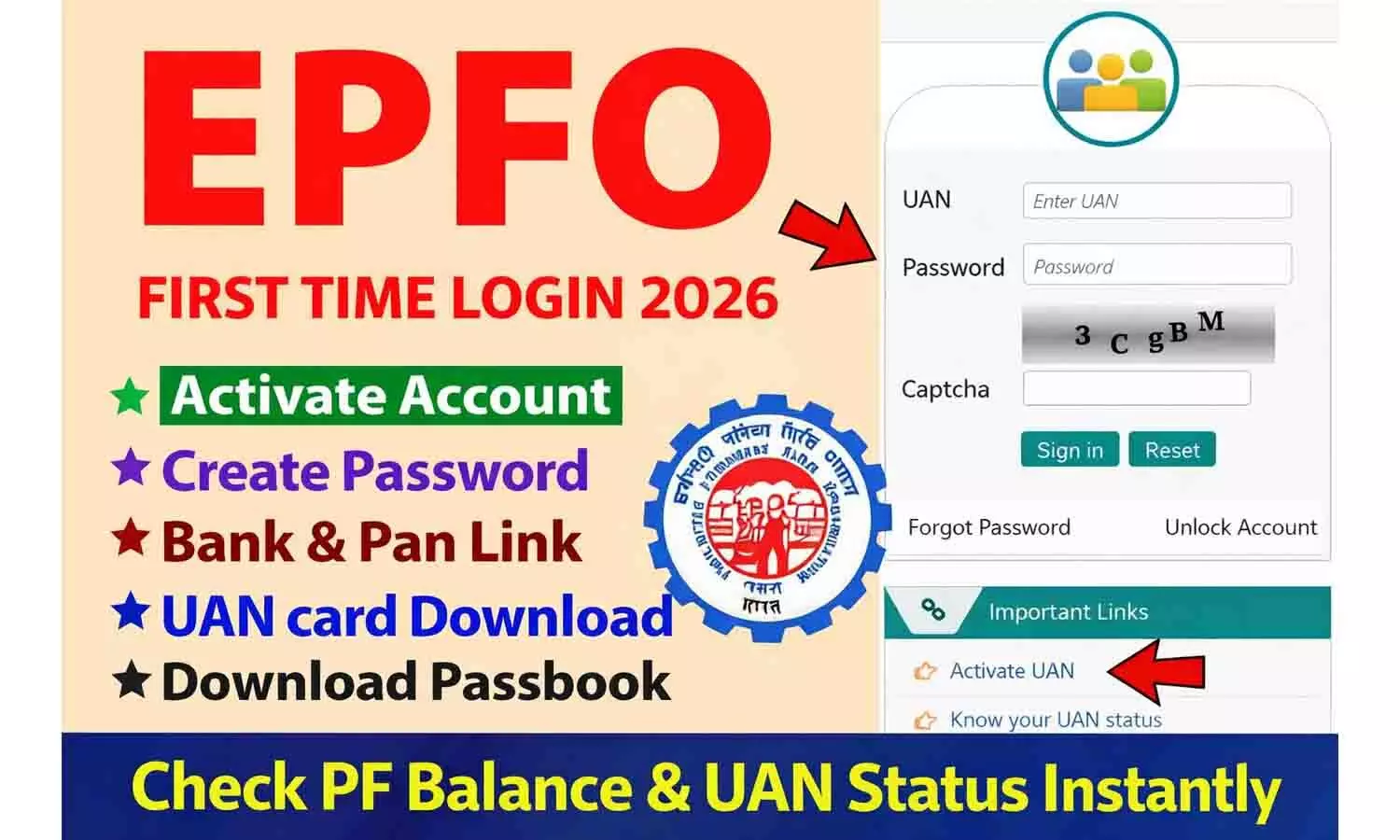


Master the EPFO Employee Login 2026! Learn how to access your UAN Member Portal, check PF balance, and track claim status online with our 100% secure guide
Table of Contents
- Understanding the EPFO Employee Login Portal 2026
- Essential Requirements for UAN Member Portal Access
- Step-by-Step Guide to EPFO Employee Login
- How to Check Your PF Balance and Download Passbook
- UAN Activation and Password Recovery Procedures
- PF Claim Submission and Tracking Status
- Managing KYC and Profile Updates Online
- Safety Measures and Troubleshooting Login Errors
- Future of Retirement Savings: EPFO 2.0 Initiatives
- Comprehensive FAQs with Solutions
Understanding the EPFO Employee Login Portal 2026
The Employees Provident Fund Organization has undergone a massive digital transformation in 2026 to ensure that every worker in India has seamless access to their retirement savings. The EPFO Employee Login portal is the primary gateway for millions of subscribers to manage their provident fund accounts. This digital infrastructure is designed to provide complete transparency, allowing employees to monitor monthly contributions from their employers and track interest accruals in real-time. By utilizing the latest biometric and OTP encryption technologies, the portal ensures that your financial data remains secure while offering a user-friendly interface.
Essential Requirements for UAN Member Portal Access
Before attempting to log in, it is crucial to ensure you have the necessary credentials. The most vital component is your Universal Account Number or UAN. This 12-digit permanent number remains the same throughout your career. Additionally, your UAN must be activated. You also need a registered mobile number that is linked to your Aadhaar card for two-factor authentication. In 2026, this security layer has become mandatory to prevent unauthorized access to your savings.
Step-by-Step Guide to EPFO Employee Login
Accessing your account is a straightforward process. First, visit the official Unified Member Portal website. On the home screen, enter your 12-digit UAN and your unique password. You must also complete a captcha verification. Once these details are submitted, a one-time password will be sent to your registered mobile number. Enter this OTP to reach your personal dashboard. This dashboard serves as the control center for all your PF-related activities, from viewing your profile to initiating fund transfers.
How to Check Your PF Balance and Download Passbook
One of the most frequent reasons for using the EPFO Employee Login is to verify the account balance. While the main portal offers a summary, the detailed transaction history is found in the EPF Passbook section. This specialized portal is designed to handle high traffic. After logging in with your UAN and password on the passbook portal, you can select the specific Member ID associated with your employer. The system then displays a breakdown of employee and employer contributions. In 2026, you can download these statements as verified PDF documents.
UAN Activation and Password Recovery Procedures
If you are a new employee, UAN activation is your first step. By clicking the Activate UAN link, you will provide your UAN, Aadhaar number, and mobile number. Once verified, you will receive an authorization pin to set your permanent password. If you have forgotten your password, the Forgot Password feature allows you to reset your credentials via an Aadhaar-linked OTP, ensuring you regain access without needing to visit an EPFO office physically.
PF Claim Submission and Tracking Status
The year 2026 has introduced a faster claim settlement process. Through the EPFO Employee Login, you can apply for partial withdrawals for illness or marriage, and full withdrawals upon retirement. The Online Services tab allows you to select the appropriate form, such as Form 19 for final settlement. The portal automatically checks your eligibility. Once a claim is submitted, you can track its progress under the Track Claim Status link, which provides real-time updates.
Managing KYC and Profile Updates Online
Keeping your Know Your Customer details updated is mandatory for a smooth withdrawal experience. Under the Manage tab, you can upload your Aadhaar, PAN, and bank account details. In 2026, the portal utilizes automated API verification with banks to approve KYC details instantly. It is vital that the name on your bank account matches your EPFO records exactly to avoid any claim rejections.
Safety Measures and Troubleshooting Login Errors
Security is paramount when dealing with financial portals. Always ensure you are on the legitimate government domain. If you encounter errors such as UAN and Aadhaar name mismatch, you must use the basic details modification tool. Common technical issues like site downtime are usually temporary, but if your account is locked, you must use the password reset facility to unlock it.
Future of Retirement Savings: EPFO 2.0 Initiatives
The 2026 version of the EPFO ecosystem includes AI-driven chatbots providing instant support for common queries. Furthermore, the integration with DigiLocker allows for the seamless sharing of UAN cards. These advancements ensure that the EPFO Employee Login remains a robust and user-centric platform that supports the financial well-being of the Indian workforce.
Comprehensive FAQs - All Solutions in English
How to perform EPFO employee login step by step guide?
To log in, visit the official Unified Member portal, enter your 12-digit UAN number and your registered password. Solve the captcha and click sign-in. You will receive an OTP on your Aadhaar-linked mobile number; enter it to access your dashboard safely.
When will PF balance be visible on UAN portal after monthly contribution?
Usually, the PF balance is updated on the UAN portal within 5 to 7 days after your employer deposits the monthly contribution. You can check the exact date of deposit by downloading your updated EPF passbook.
How to withdraw money from PF account online in 2026?
Log in to the member portal, go to Online Services, and click on Claim Form 31, 19, or 10C. Choose the withdrawal type, verify your bank details, and submit the request using Aadhaar-based e-verification for fast processing.
Why is UAN activation not working and what are the solutions?
UAN activation may fail if your name or date of birth does not match the Aadhaar records. Ensure your mobile is linked with Aadhaar. If the mismatch persists, contact your employer to correct your basic details in the EPFO database.
What to do if i forgot EPFO login password and how to reset?
Click on the Forgot Password link on the login page. Enter your UAN and Aadhaar details. An OTP will be sent to your Aadhaar-linked mobile. After verification, the portal will allow you to create a new strong password instantly.
When can i download EPF passbook after UAN activation?
You can download your EPF passbook after logging into the Passbook portal. Note that if you have just activated your UAN, it might take 6 to 24 hours before the passbook becomes available for viewing.
What is the new way to check PF balance in 2026?
Apart from the portal, you can check your balance by sending an SMS "EPFOHO UAN" to 7738299899 or by giving a missed call to 9966044425 from your registered mobile number. The Umang app is also a valid method.
How to fix UAN portal login error for blocked accounts?
If your account is blocked, use the forgot password utility to verify your identity via Aadhaar. This will reset your credentials and unblock your account automatically. Always use a secure browser for this process.
How to add nominee in EPFO account through e-nomination process?
Log in to the portal and go to the Manage tab, then click on e-Nomination. Provide the Aadhaar, photo, and bank details of your family members. Sign the document using Aadhaar e-Sign to complete the process.
How to check PF claim status after online submission?
After submitting a claim, go to the Online Services tab and select Track Claim Status. This will show you the real-time location of your application and whether it has been approved or settled.
How to change mobile number in UAN if old number is lost?
Log in to the portal, go to the Manage tab and select Contact Details. Use the Change Mobile Number option. Verify the new number through an OTP. Ensure the new number is also linked with your Aadhaar card.
Why is KYC update mandatory for PF withdrawal in 2026?
KYC is mandatory because it verifies your identity and ensures the funds are transferred to the correct bank account. Without an approved Aadhaar and bank KYC, you cannot submit any online withdrawal claims.
When will i receive PF interest in 2026 in my passbook?
PF interest is calculated monthly but credited annually. Generally, the interest for the previous financial year is reflected in your passbook by the end of the second quarter of the following year.
Why is the EPFO portal hanging during peak hours?
The portal may slow down due to high traffic volume, especially during the end of the month. It is best to access the portal during off-peak hours, such as early morning, for a smoother experience.
How to reset UAN password safely online?
Visit the unified portal, select forgot password, and enter your UAN. Verify your Aadhaar details and mobile OTP. Create a password that is at least 8 characters long with special characters for safety.
How to fill form 19 for PF withdrawal for full settlement?
Form 19 is for final settlement after leaving a job. Log in to the portal, go to Online Services, choose Claim, and select Form 19. Ensure your Date of Exit is updated before applying.
When will interest be added to EPF passbook calculation logic?
Interest is calculated on the monthly running balance. However, the total interest for the 12 months is consolidated and credited as a single entry after the financial year ends and the rate is notified.
Why am i not receiving OTP for UAN login?
If you are not receiving the OTP, check your mobile network coverage. Sometimes there is a delay at the Aadhaar server level. Try restarting your phone or clicking on the resend OTP button after a few minutes.
How to transfer PF online from old company to new company?
Log in to the portal and go to Online Services, then click on "One Member One EPF Account". Enter the details of your previous account and choose your employer for attestation to transfer the funds.
How to get KYC approved by employer on employee portal?
Once you upload your KYC details, inform your HR department to approve the pending request using their digital signature. In 2026, many bank KYCs are now auto-approved by banks directly.
What documents are required for UAN activation for new employees?
You primarily need your UAN (provided by your employer), your Aadhaar card number, and your mobile number linked to Aadhaar. No physical documents need to be uploaded during activation.
How to change bank account in EPFO for existing users?
Go to the Manage tab, select KYC, and choose the Bank option. Enter your new account number and IFSC code. Your employer must approve the change digitally for it to become active in the system.
How to check PF balance without UAN using alternative methods?
You can check your balance without a UAN by giving a missed call to the EPFO helpline from your registered mobile number. However, for any online transaction, having your UAN is mandatory.
How to login to PF account through Umang app on mobile?
Download the Umang app, search for EPFO, and select Employee Centric Services. Click on View Passbook and enter your UAN and the OTP sent to your registered mobile to log in securely.
How to register EPFO grievance for delayed claims?
Visit the EPFiGMS portal. You can register a complaint by providing your UAN or PPO number. Upload supporting documents and track your grievance status using the registration number provided.
Where can i find the UAN login link 2026 for member services?
The official link is the Unified Member Portal found on the epfindia.gov.in website. Always ensure you are using the official government portal to avoid phishing sites.
How to avoid tax on PF withdrawal for short service?
If you withdraw before 5 years of service, it is taxable. To avoid TDS, ensure your PAN is updated and submit Form 15G or 15H if your total income is below the taxable limit.
How to contact UAN helpdesk for technical support?
You can call the EPFO toll-free helpline at 1800118005 or use the social media handles of EPFO for quick responses. The portal also features a Help section with manuals.
Why was my EPFO claim rejected and what are the reasons?
Claims are usually rejected due to bank account mismatch, illegible cheque images, or lack of e-nomination. Check the rejection remarks in the Track Claim Status section to fix the issue.
How to see old balance in PF statement for multiple accounts?
When you log in to the passbook portal, the menu shows all Member IDs linked to your UAN. You can select each ID individually to see the balance related to each previous employment.

Next Story